Pay for DStv, GOtv or StarTimes with crypto
Your subscription runs out at the worst moment. Here's how to renew DStv, GOtv or StarTimes from your crypto balance in a few minutes.
The match starts in ten minutes and your decoder says the subscription has run out. Sound familiar?
Here's how to renew from JOYET using the crypto you already have.
Before you start
You'll need:
- Your smartcard or IUC number (it's on the decoder, or on the screen under Settings or Help).
- A JOYET balance. If you only have crypto, deposit it first. It converts to Naira automatically.
Step by step
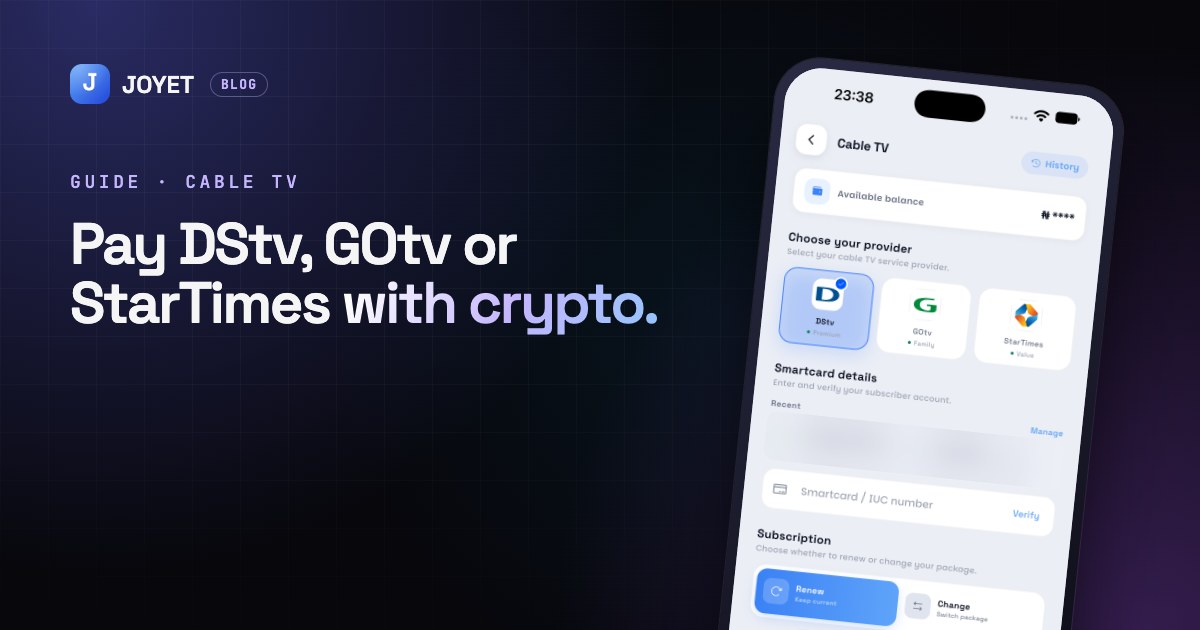
- Open Cable TV from the home screen or the Services tab.
- Choose your provider: DStv, GOtv or StarTimes.
- Enter your smartcard / IUC number and tap Verify. JOYET checks the account so you can see it's the right one.
- Choose Renew to keep your current package, or Change to switch to another one.
- Pick your plan and confirm with your PIN.
Your decoder usually updates within a few minutes. If it doesn't, leave it switched on, on a channel, for a short while. That helps it pick up the signal.
Tip: JOYET remembers smartcards you've paid before, so next month it's two taps.
Paying for someone else?
You can renew any smartcard, not just your own. It's an easy way to sort out your parents' or your landlord's TV.
Where's my receipt?
Every payment is saved in your Activity tab, with the date, the provider and the amount.
JOYET is launching on Android and iPhone. Join early access on joyet.site and we'll send you the download link first. Questions? Email hello@joyet.site.