Send money to friends for free: how JOYET transfers work
Sending money to another JOYET user is free and instant. Here's how it works, plus how to request money and send to any bank.
Splitting a bill, paying back a friend, sending money home: it should be quick, and it shouldn't cost you anything.
JOYET to JOYET: free and instant
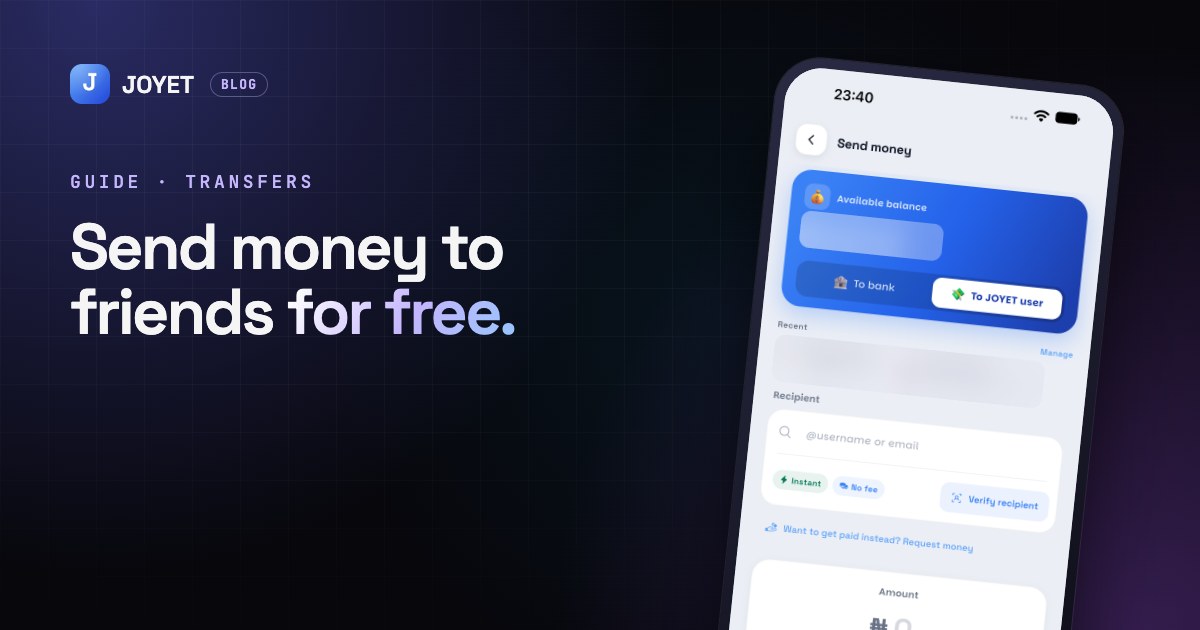
Every JOYET user has a @username. To send money:
- Tap Send, then To JOYET user.
- Type their @username or email and tap Verify recipient, so you can see exactly who you're paying.
- Enter the amount, add a note if you like, and confirm with your PIN.
The money lands straight away, and there's no fee.
Request money instead
Someone owes you? Tap Request and choose who it's from and how much. They get a notice and can pay you with one tap, or decline. You can also request money right inside a chat.
Sending to a bank account
Need to pay someone who isn't on JOYET yet? Choose To bank, pick the bank, and enter the account number. JOYET shows the account name before you send, so you can check it's the right person. Any fee is shown before you confirm.
Staying safe
- Always check the name before you confirm, whether it's a @username or a bank account.
- Transfers can't be pulled back once sent, so take a second look at the amount.
- Invite friends. It's free for them to join, and you can send each other money for free.
JOYET is launching on Android and iPhone. Join early access on joyet.site and we'll send you the download link first. Questions? Email hello@joyet.site.